Are you planning a website? Then it is crucial to make a decision on a content system. The choice of right content management system (CMS) can make or break the overall aesthetics and functionality of a website. A CMS can create a powerful impact on almost all types of websites including e-commerce stores, blogs, and even large digital platforms. With the right CMS in place, it is possible to create content and edit it on a regular basis. It is also helpful in managing updates of business websites, maintain overall performance.
The present day market is overloaded with a wide range of technologies which makes it confusing for business owners and users to decide on a perfect fit for their requirements.
A headless CMS or a traditional CMS?
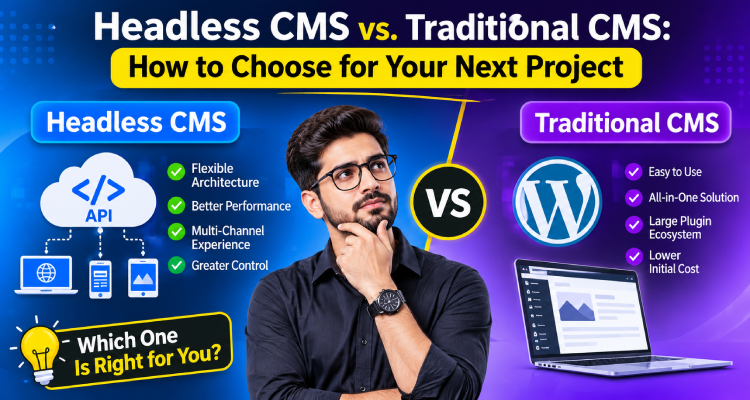
The decision can be challenging. Both platforms are helpful in managing digital content with unique functionality. A traditional CMS is preferred for integrated solution combining content management and website presentation. On the other hand, a headless CMS gives enhanced flexibility to developers by separating content management from the front end which means they have full control over the way content is displayed across various platforms – websites, mobile applications, and many more.
How to choose the right option for your upcoming project?
The decision can be easy after understanding the differences between headless CMS and traditional CMS. Here are some crucial comparison of benefits, limitations of both platforms and their overall impact on SEO to help you choose the best for your business needs.
Understanding Traditional CMS
A traditional CMS is a content management system with its front and back end connected closely. Users can easily create, edit, and organise content with the help of backend CMS. On the other hand front end is useful for deciding on the exact way content gets displayed on a given website.
Classic examples of traditional CMS include WordPress (traditional configuration), Drupal, and Joomla. Traditional CMS can be specifically beneficial for those running a business blog. It can help owners and their team in writing an article, uploading images, giving choice of category to users, and publishing posts using administrative dashboard. As a last step, the content can be uploaded using a theme/template for display content on website.
Businesses can easily manage their websites using tools available within a single system. There is absolutely no need to build each component from scratch.
Uses of Traditional CMS
Easy Content Management
The USP of traditional CMS platforms is their user-friendliness. It makes easier for content creators to publish articles. They can easily update service pages and add images. No technical knowledge is required to accomplish these tasks.
Quick and Affordable
Most traditional CMS platforms come with built-in themes, plugins, and extensions. Users can save their time and efforts by using these tools and help businesses launch websites at affordable rates.
SEO Tools
Traditional CMS platforms are compatible with SEO plugins for easy management of canonical URLs, page titles, meta descriptions, XML sitemaps, and all website optimisation needs.
Integrated Website Management
It is easy to manage most website functions including content and design templates from a single dashboard. Maintenance is easier for small teams.
Cons of Limitations of a Traditional CMS
A traditional CMS has certain limitations which may make it less beneficial as a business grows.
Users may find customization of front end tough because a website relies heavily on a specific theme or template. Use of a large number of plugins cab also result in compatibility issues, security related problems, and maintenance needs. In most cases, it is difficult to deliver similar content across a website and other platforms.
However, this doesn’t mean traditional CMS platforms are unsuitable. Businesses simply require assessing their long-term digital needs prior to choosing a specific system.
Understanding Headless CMS
A headless CMS relies on a single template and delivers content across APIs. It separates the back end from front end. Developers can easily use content across varied applications and interfaces. Some of the best examples of this CMS include:
- Contentful
- Strapi
- Sanity
- Storyblok
Pros of a Headless CMS
Enhanced Front-end Flexibility
Developers can access choice of technologies to suit specific requirements of their projects (React, Next.js, Vue, and various other modern front-end frameworks). It helps building digital experiences customized to projects without getting trapped into limitations of a specific CMS theme.
Content Delivery
Businesses can easily distribute content to varied digital touchpoints by using APIs. It can help organisations operate websites, mobile applications, and related experiences.
Optimization
Since the front end can be developed individually, performance techniques can be easily integrated. These include caching, static generation, and content delivery networks.
Overall performance of a website depends on implementation of CMS, hosting environment, quality of code, and content delivery strategy.
User Experience Control
Headless CMS helps businesses create interfaces customized to their branding, customer journeys, and functional demands. Complex websites especially those with complex layouts and interactive features can benefit from this feature.
Cons of Headless CMS
Businesses need technically sound developers need to handle building or configuring the front end, connect APIs, management of hosting and deployment of workflows. This adds to extra initial costs and complicated ongoing maintenance. Additional tools or previews are needed to assess content display prior to publication.
This may not be a feasible for businesses without a dedicated team of development experts.
How to Decide?
The following factors needs to be considered prior to deciding:
Project Complexity
A traditional CMS is perfect for simpler website interfaces as it minimizes efforts in developing website and allows technical teams to focus on other important tasks such as content and customer acquisition.
A headless CMS is an ideal fit for complex projects involving several interfaces, customized experiences, integrations with different systems etc.
Team Expertise
If you have a team with technical expertise in managing a traditional CMS, switching to a headless setup if needed, can invest in training team or hire developers, consider this interface. Experts with in-depth understanding of API-driven development can easily handle headless CMS for customizing and integrating into its existing workflow.
Long-Term Scalability
You should think of much more than the initial launch. Ask yourself if you wish to introduce a mobile application, introduce new markets, multiple languages etc.
What to Choose?
As a final verdict, the final choice will depend on:
- Business goal
- Technical resources
- Digital experiences to be created
A traditional CMS is often ideal for businesses that need a straightforward, cost-effective, and easy-to-manage website. It offers integrated publishing tools, established SEO capabilities, and a relatively simple development process.
A headless CMS is better suited to projects that require flexible front-end development, API-driven content delivery, and distribution across multiple digital platforms. It can provide greater architectural freedom, but it also demands more planning and technical expertise.
When evaluating headless CMS and traditional CMS; avoid focusing solely on performance claims or industry trends. Look for overall development costs, editorial workflows, SEO requirements, integrations, maintenance, and future growth.